Article Overview
Connection loss after changing a fiber optic router is often due to IP conflicts, misconfigured settings, or incompatibility with the ISP's network equipment.
Common Causes
- IP Address Conflicts: Many ISPs assign a default gateway IP (e.g., 192.168.0.1 or 192.168.1.1). If your new router uses a different subnet than your previous setup, connected devices or secondary routers (like VPN routers) may fail to communicate with the internet .
- Router Configuration Issues: Fiber networks often require specific settings such as VLAN tagging, PPPoE credentials, or static IP assignments. A new router may not automatically inherit these settings, causing a loss of connectivity .
- ONT or Modem Compatibility: The Optical Network Terminal (ONT) or ISP-provided modem may need to be restarted or reconfigured to recognize the new router. Some ISPs lock the connection to the original router's MAC address, requiring a MAC address update on the new device .
- Physical Layer Problems: Although less common when only the router is changed, loose fiber connectors, damaged cables, or dirty ports can cause signal loss. Checking the fiber cable and cleaning connectors can prevent this .
Troubleshooting Steps
- Restart Devices: Power cycle the ONT, new router, and any secondary routers to reset the connection .
- Check IP Settings: Ensure the new router's LAN IP range matches your network setup. If using a secondary router (e.g., VPN router), confirm it is on a different subnet to avoid conflicts .
- Verify WAN Configuration: Enter any required ISP credentials (PPPoE username/password) or VLAN IDs in the new router's WAN settings .
- Test Direct Connection: Connect a PC directly to the new router via Ethernet to confirm internet access. If it works, the issue may be with Wi-Fi or secondary devices .
- Clone MAC Address: If the ISP restricts connections to the previous router, clone the old router's MAC address to the new one .
- Check Router Logs: Look for error messages or “no internet” indicators in the router dashboard to identify misconfigurations .
- Contact ISP Support: If the above steps fail, the ISP may need to register the new router or provide specific configuration details .
Key Considerations
- Always document the previous router's settings before replacement.
- Use the same type of connection (PPPoE, DHCP, or static IP) as the ISP requires.
- Ensure firmware on the new router is up to date to avoid compatibility issues. By systematically checking IP settings, WAN configuration, and device compatibility, most fiber broadband connection issues after a router change can be resolved efficiently .
TP-Link Router Not Connecting to Internet?
Is your TP-Link router not connecting to the internet? Learn how to troubleshoot and fix the issue by checking your IP
Can''t get printer to work after switching to fibre broadband
Hi. I''m hoping someone can help me. We upgraded to fibre broadband this week and since then I can''t get anything
Hikvision/Network: New ISP router means cannot get cams online via
Hello and greetings to anyone reading this, my first post, but sorry but I am completely desperate for a resolution to my
No connection to full fibre following installation
Easiest way to test and the tech should''ve done this. Connect that yellow ethernet cable directly to a laptop and see it works or you
Why won''t my printer work with new, upgraded router
We were upgraded to the newest internet and wifi equipment several months ago. Ever
How to fix: Router doesn''t connect to the internet after a reset
Resetting your router can be a good way to solve connection issues. Here''s what you need to know if you can''t get
Fiber optic converter doesn''t work with new wireless router
Probably need to spoof the MAC address of the old TP-link router''s WAN connection, or the ISP is using PPPoE (where you''d need
Why Is My Fiber Internet Not Working | Brightspeed
When experiencing issues with your fiber internet not working, use Brightspeed''s troubleshooting guide . Find quick fixes for slow
Fiber ONT Troubleshooting
Optical Network Terminal (ONT) troubleshooting guide: Tackling common glitches, step-by-step fixes, and preventive
Fiber Network Troubleshooting – Common Issues & Fixes
Learn how to troubleshoot fiber networks. Identify common issues like high loss, dirty connectors, and signal drops,
No Printer connection after new fiber optic internet installation
How can I reconnect my printer to wifi after my new fiber optic internet installation please? Thanks:) I already did a
IP Change in Router Causing No Internet Connection: Here''s
Experiencing no internet connection after changing IP in router? Learn how to fix this common tech issue. Get tips
8 Reasons Why Your Internet is Slow (and How to Fix It)
Having a slow internet connection can be frustrating. Here are eight potential reasons why
First off, some basics. The new Moden/Router is the Netgear Nighthawk C7000. I have Xfinity gigabit internet (can''t
Fiber Optic Troubleshooting Guide: Problems, Tools & Solutions
Learn how to troubleshoot fiber optic cables with common problems, a step-by-step process, essential tools, and
How to Fix Internet Connection Issues | Allconnect.com
No internet connection? To find out if your Wi-Fi network is causing your internet problems, check these potential
Broadband Internet Repair: 100% Solid Tips | Dong Knows Tech
A simple guide on broadband Internet troubleshooting done right. Take control of your home network and keep yours
networking
Last week, I changed the name of our wireless network. The new name is broadcasting fine. Tried to connect to it
Complete Guide to Fiber Optic Home Networking | BroadbandSearch
Your router''s WAN (internet) port is the physical connection between the ONT and your home network. If that port can''t
networking
Since then, I haven''t been able to connect to my site from within my network. I have updated my domain to point to
Wired Connection Not Working after New Router Installed
Wired Connection Not Working after New Router Installed This thread has been locked for further replies. You can start
Can''t connect to internet after replacing modem
I recently replaced my modem and now I am unable to get a router to work with it. The modem gives a connection through the LAN
How to Fix a Router That Is Not Connecting to the Internet
Diagnose and fix common router problems with this expert guide Is your router not
Xfinity Internet and WiFi connection troubleshooting
Connect to your in-home WiFi network instead. Check if the WiFi network name and password were changed, and update your
Cant connect or ping my router after changing it''s ip address
The router may have a errors that prevent a changed IP address from fully working. However, if all you need is Wi-Fi,
No Internet Connection? How to Troubleshoot Internet
If you''re not getting an internet connection, check your internet equipment before you
Wi-Fi problems? Here''s how to diagnose your router
Get to the root of your Wi-Fi problems with these simple steps. They range from small
At first I thought it was a local IP conflict (which turned out to be one of the problems) and I swiftly fixed that by giving
Fix Fiber Issues Fast: Your Ultimate HomeLinkd Guide
Debugging a fiber connection can be intimidating, particularly with the intricacies of optical networks. In this blog post, we will delve
Why can''t I connect to my WiFi network after changing
If you changed your network SSID or password, you must reconnect all of the devices that
Cannot access router after upgrading internet with new fiber
The router automatically changed its IP address to 10.0.0.1, as well as all the IP addresses that connect to it. This
networking
I have a small Django website which is hosted on a raspberry pi on my network and has been running smoothly for a
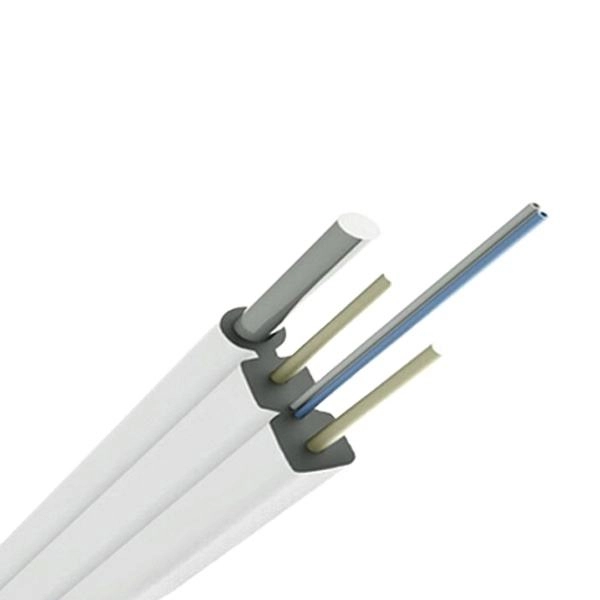
How to Fix No Internet Connection After Resetting Router
We''ll also discuss how to reset network configurations on your device, making sure you
Related Resources
- Huijue Butterfly-shaped Optical Cable Manufacturer
- Comparison of lifespan of Philippine EDFASFP
- LC Power Adapter
- 150300 Cable Tray Price
- Singapore Power Fiber Optic Cable Fittings Project
- Network cabinet 700mm high white
- Key points for connecting and installing distribution boxes
- Detailed Price List for Single-Mode Multi-Core Optical Cables
- Fiber optic cable directly connected to the switch s optical port
- 10 Gigabit Indoor Multimode Fiber Optic Cable
- New Zealand Mesh Cable Tray Prices Offered
- Large Rainproof Distribution Box
- Price of Custom-Made Fibre Channel Modules
- 48-core optical cable coiling techniques
- The optical power meter measured 0 light intensity
- Intelligent Upgrade Solution for Fiber Optic Distribution Boxes
- Construction of fire-resistant cable trays in Andorra
- Cm1-15 Small Busbar Terminal Instructions